Let me start with a few things that have always really bothered me when using Claude Code.
First, the command line shows too little. While it’s working, the files it reads, the commands it runs, and the lines it changes all scroll past in the terminal. If you want to look back at what it changed in a particular step, you can only scroll up—and even after ages, you may not find it. Viewing diffs is inconvenient too; you basically have to open another editor or Git tool.
Second, connecting Claude Desktop to a relay is a hassle. If you want to use a relay, you have to spend ages setting things up and work around it with a virtual machine or something similar. On top of that, quite a few features don’t work, making the experience feel very disjointed.
Third, switching models requires cc-switch. If you want to change relays or try DeepSeek or Kimi, you have to switch it in cc-switch. Once you do, all conversations change at once. There’s no way to have two tasks use different models separately.
After being annoyed by these issues for so long, I decided to write a web-based version myself. I used it for a while and found it quite convenient, so I open-sourced it:
Here’s what makes it worth using.
Models and relays
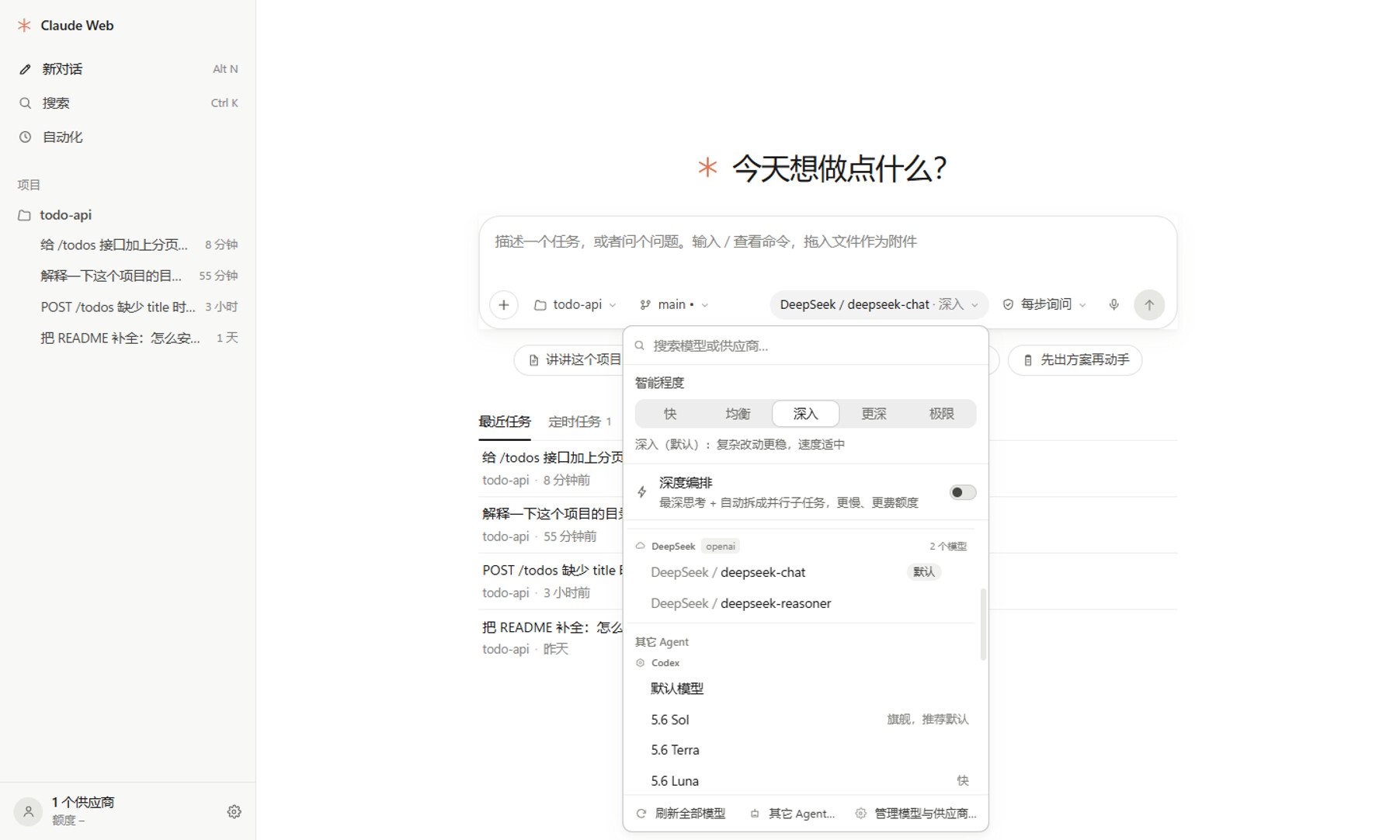
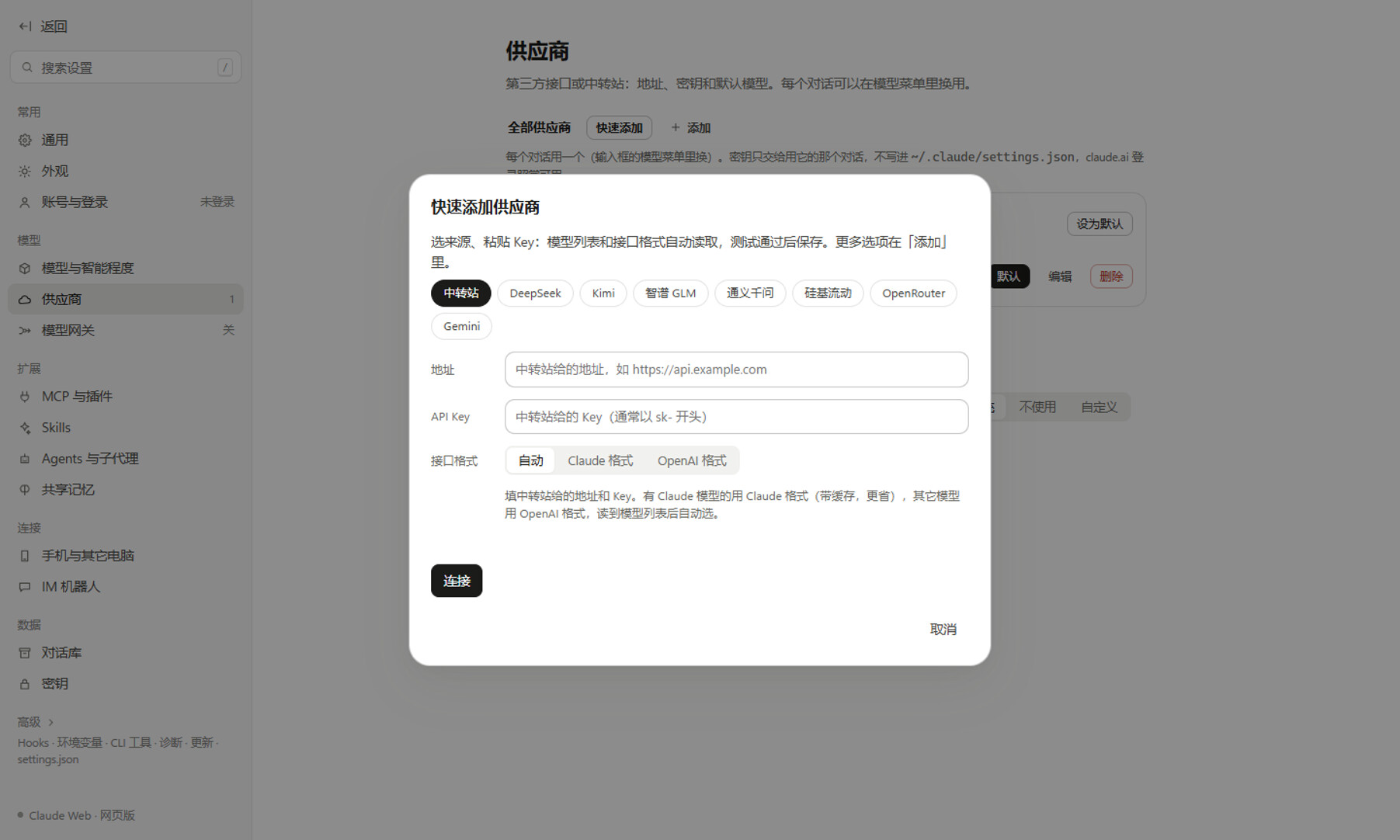
- You can add several providers at once: relays, DeepSeek, Kimi, Zhipu, Tongyi, SiliconFlow, OpenRouter, and Gemini are all supported. Choose a source, paste in your key, and click Connect. It detects the model list and API format automatically, and only saves the configuration after a successful test. If the key is wrong, your balance is insufficient, or the address is incorrect, it tells you exactly what went wrong.
- Want to switch models halfway through a conversation? Just click next to the input box. The previous messages remain, so you can continue chatting.
- Different conversations can use different models: use a Claude relay to write code here and DeepSeek for miscellaneous tasks there, running them simultaneously without affecting each other.
- It won’t modify your
~/.claude/settings.json; the command line continues to work exactly as before. - If you’re using a VPN, you can set it to follow the system proxy instead of configuring environment variables manually.
See clearly what it’s doing
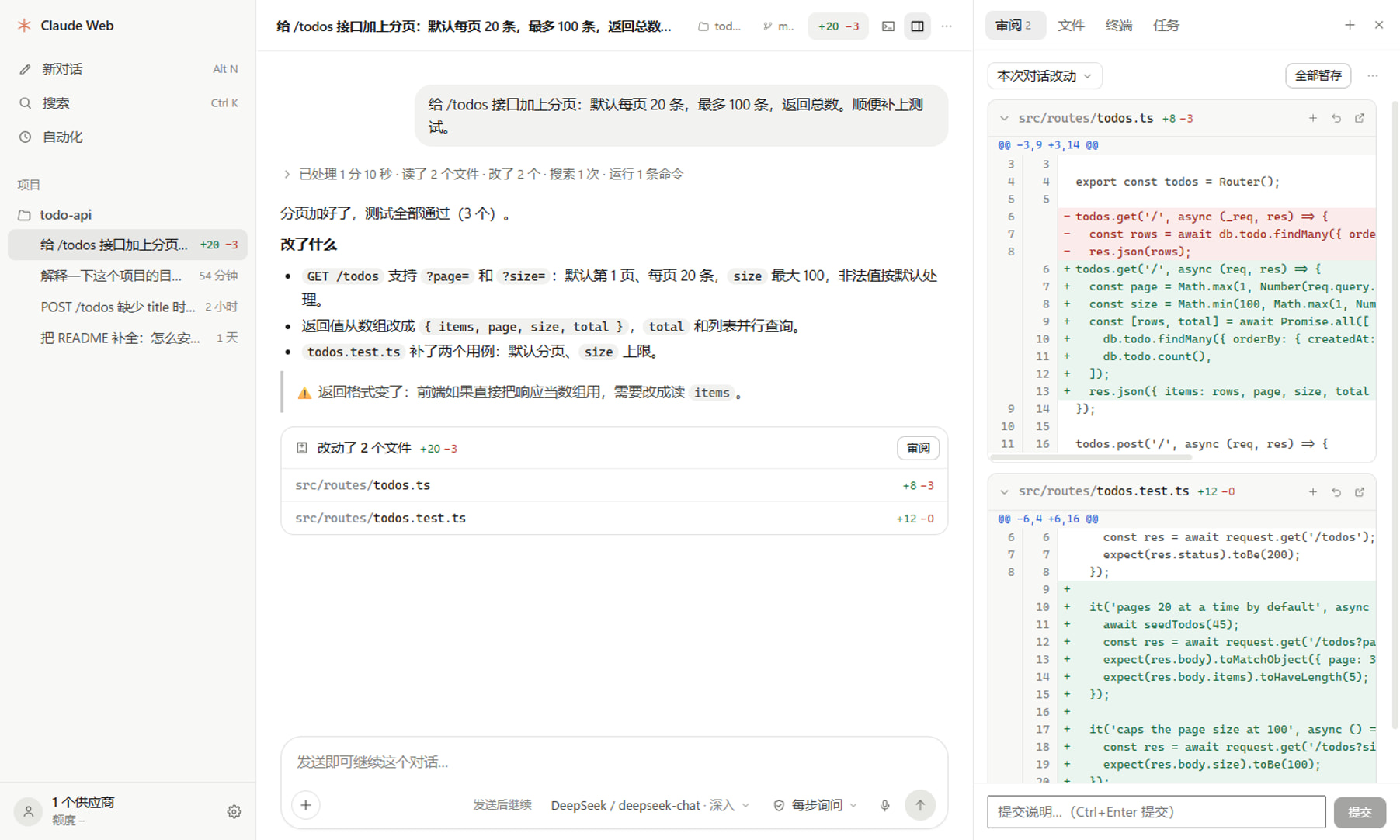
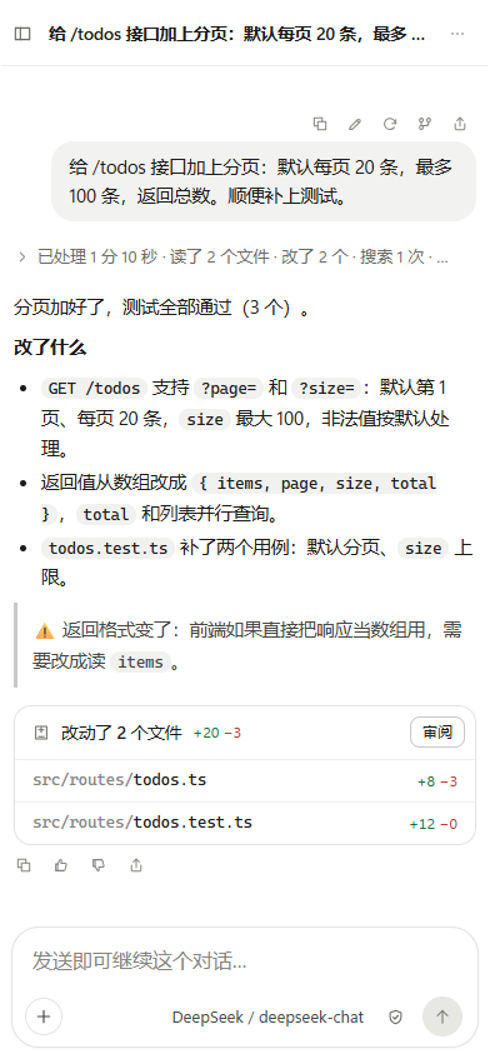
- Each round’s actions are collapsed into a one-line summary, such as “Read 2 files · Changed 2 · Ran 1 command”. Click it to expand the details step by step.
- Files that were changed are listed as cards below the response. Click the right side to view the diff.
- There’s a review panel on the right where you can stage changes, restore them, and write a commit message and commit directly—no need to switch to a Git tool.
- When it needs permission, a card appears above the input box explaining exactly what command it wants to run. Just click Allow or Deny.
- The file tree, full-text search, and terminal are all on the right, so you hardly ever need to leave the page.
Not just Claude
- Codex, Gemini CLI, Qwen, Kimi, and OpenCode can also be connected and used in the same interface.
- You can hand a conversation off to another agent to continue the work—for example, have Claude write halfway through and then ask Codex to review it.
- Previous Codex and OpenCode conversations can also be imported, with full-text search in Chinese supported, making it much easier to find things you discussed before.
Let it work on its own
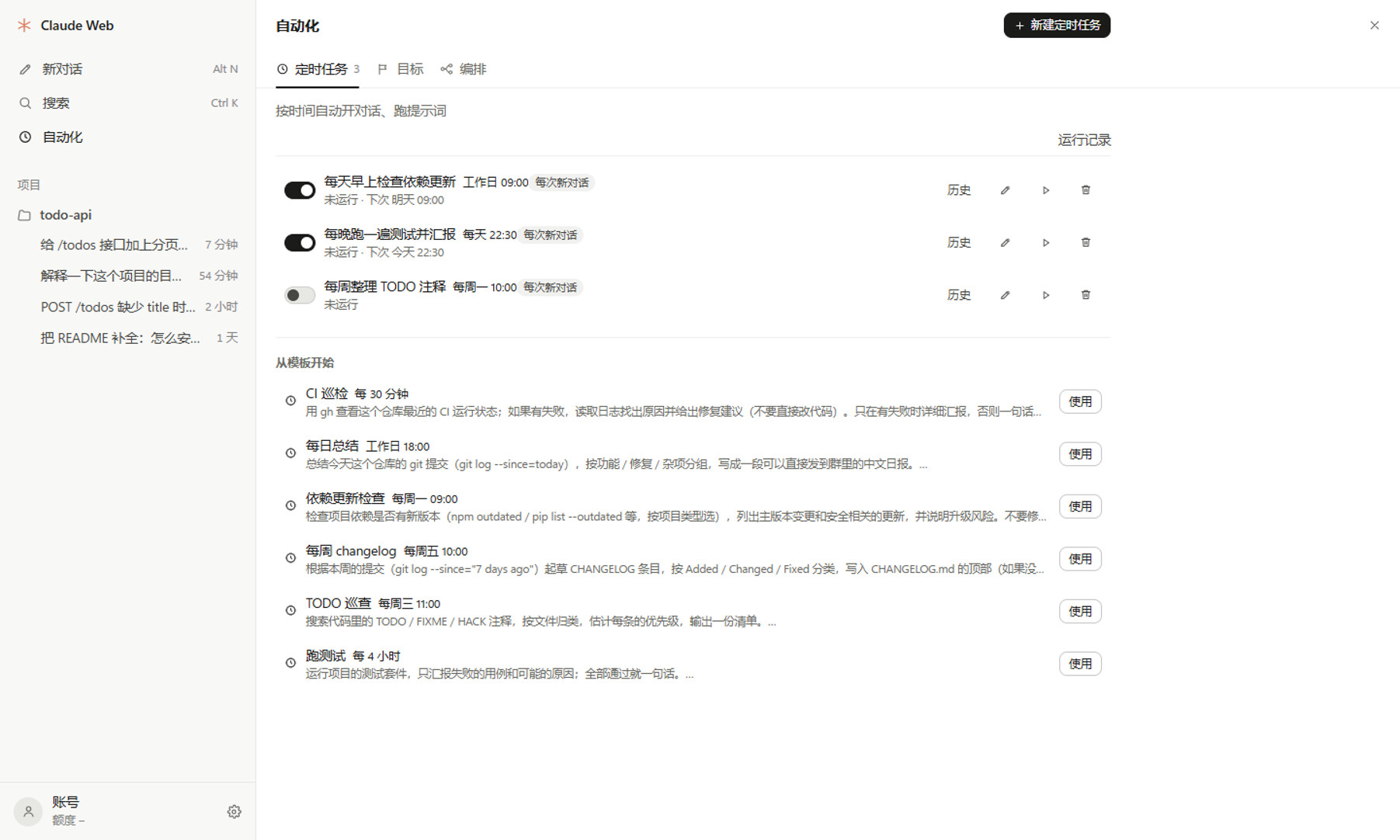
- Scheduled tasks: for example, check for dependency updates at 9 a.m. on weekdays, or run the tests every night and report the results. Several templates are included and can be used with one click.
- Goal mode: give it a goal and it will keep working through round after round until it finishes or gets stuck.
- Multi-agent orchestration: several agents work on the same task simultaneously in their own separate copies, and you can merge the best result into the main project.
Mobile and group chats
- Pair your phone by scanning a QR code and use it on the go. You can check whether a task has finished even while lying in bed, and approve permissions with one tap.
- Connect Telegram, Discord, Slack, DingTalk, or Lark bots and send it tasks in a group chat.
Save money
- It includes prompt-cache optimizations for relays. The usage panel shows each model’s cache hit rate and how much it has cost.
- You can group several relays together. If one goes down or gets rate-limited, it automatically switches to the next one.
How to install
I recommend running from source directly; when you need to update, just run git pull. Node 22 or later is required:
git clone https://github.com/ypyik0669/claude-web.git
cd claude-web && npm install && npm run build && npm start
Then open http://127.0.0.1:3090 in your browser.
If you can’t be bothered, Releases also includes installers for Windows and Mac. After installation, you’ll be notified automatically when a new version is available.
It was written by one person, so there are definitely still quite a few bugs. If you run into any issues, reply here or open an issue. If you find it useful, I’d really appreciate a star.


