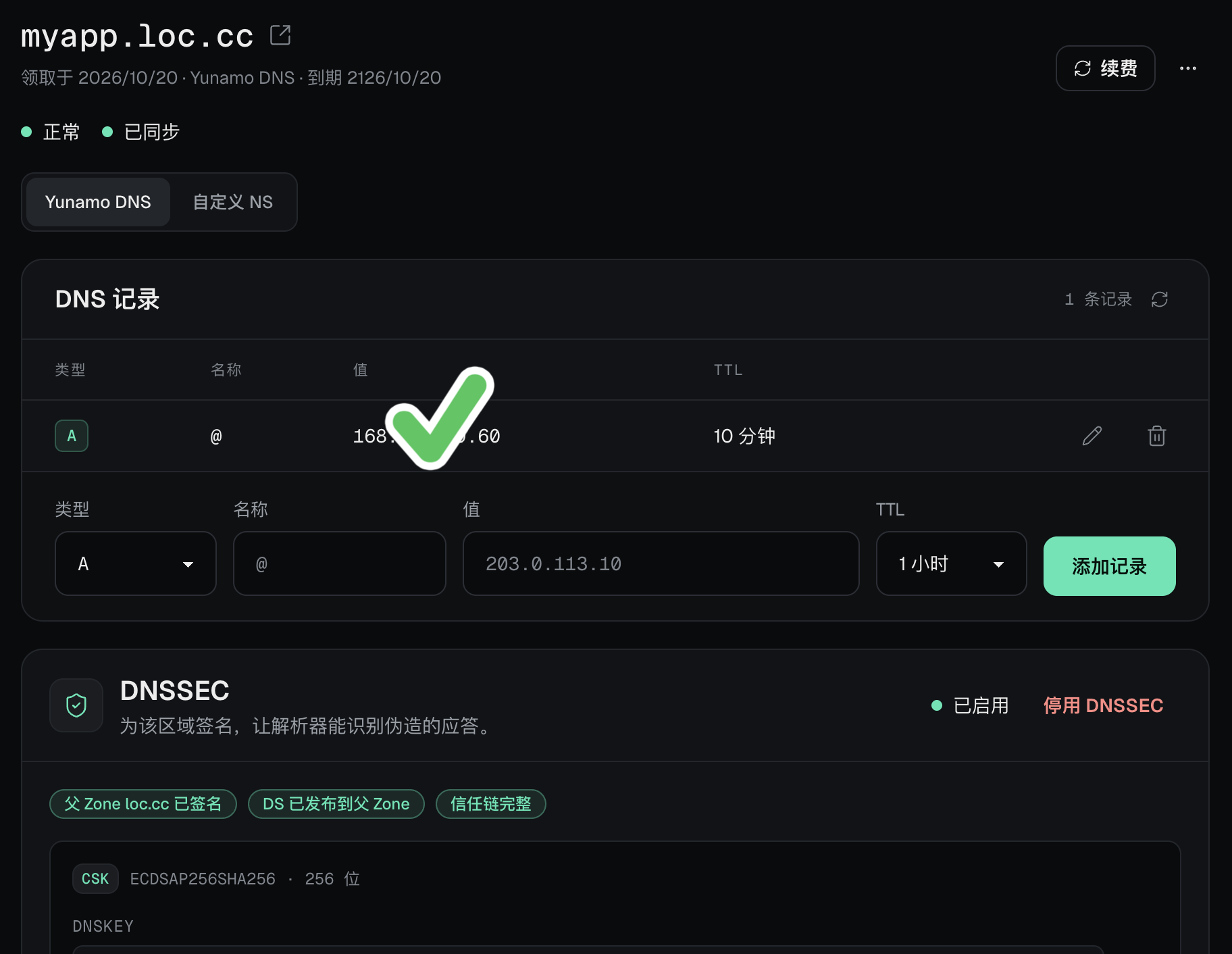
Created a subdomain
Pointed @ to my website’s IP on port 80
Enabled DNSSEC
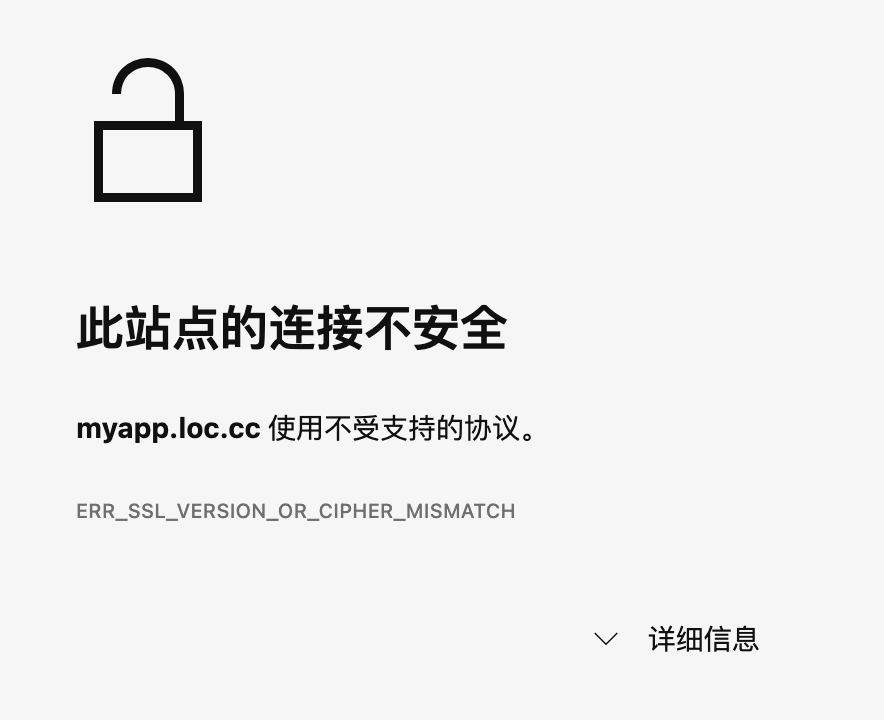
myapp.loc.cc unexpectedly closed the connection.Is there anything else I haven’t configured? I couldn’t find any setup documentation.
heiyu
October 20, 2026, 1:21pm
2
Wouldn’t analyzing the IP be enough?
Huh, yeah, you can. Strange—select the A record type, then enter the IP. The process works fine
Mike-Leone
October 20, 2026, 1:27pm
4
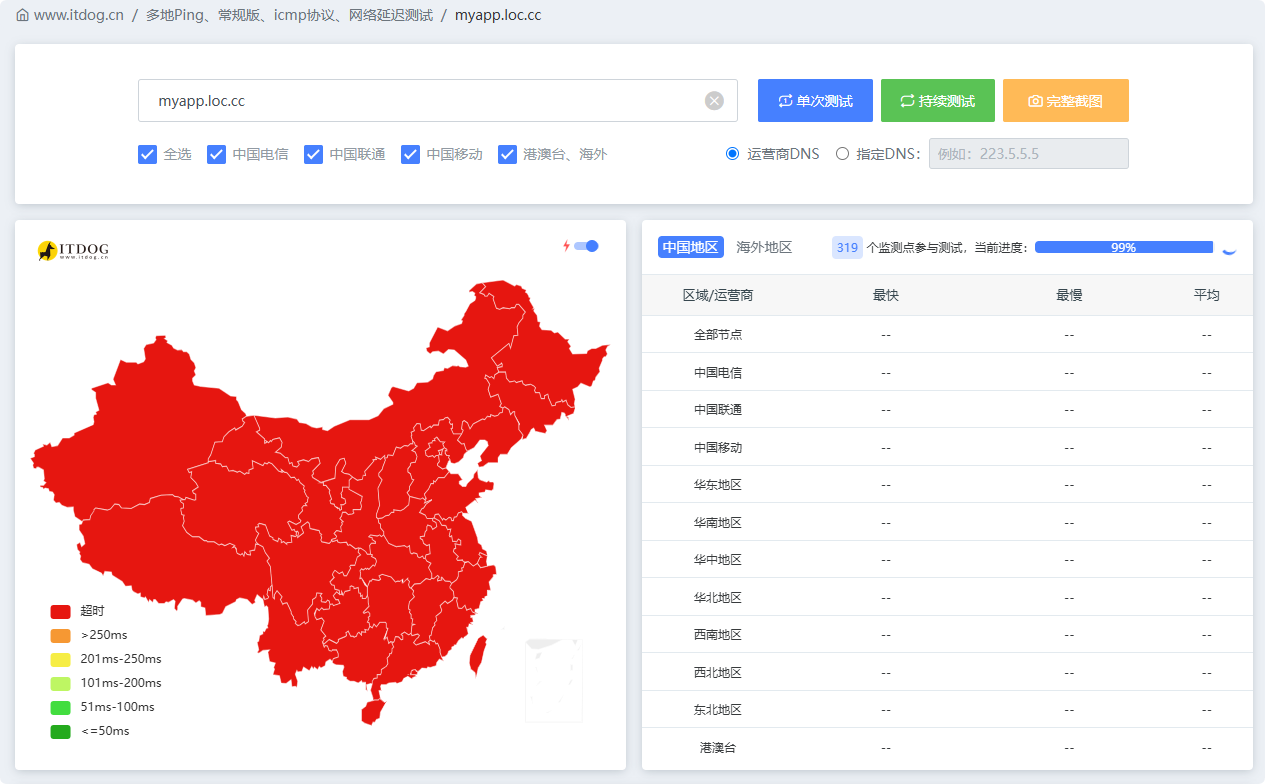
Check whether DNS resolution completed successfully. Have you correctly pointed the domain name to your site?
hakd
October 20, 2026, 1:27pm
5
It’s clear that either you haven’t set up the A record for @, or it wasn’t set up successfully, or your DNS changes haven’t taken effect yet. I’m more inclined to think it’s the first case.
This should be correct, shouldn’t it?
shim
October 20, 2026, 1:31pm
8
Disable DNSSEC, don’t ask why
1 Like
Tried it, but it didn’t work. I’ll investigate a bit more.
shim
October 20, 2026, 1:36pm
10
After it’s shut down, it won’t respond immediately—you have to wait a few hours; this is what’s known as DNS caching.
Okay, boss, I’ll wait and see.
hakd
October 20, 2026, 1:43pm
13
I can ping your domain now—it’s reachable.
Normally, port 80 doesn’t need to be specified; other ports should conventionally use the format ip:3000.
It works now, thanks! Haha, turns out I really did have to disable DNSSEC . Thanks for taking the trouble to help me.