Previous posts:
Free game server, 1-year renewal 2026-6-12
Free game server, 1-year renewal — supplement (advanced) 2026-6-19
This time, “1-year renewal” has been removed. Sorry, I expressed it incorrectly.
First mistake: I still didn’t understand whether the one year referred to the machine’s expiration date or the account; the renewal period is confirmed to be 7 days.
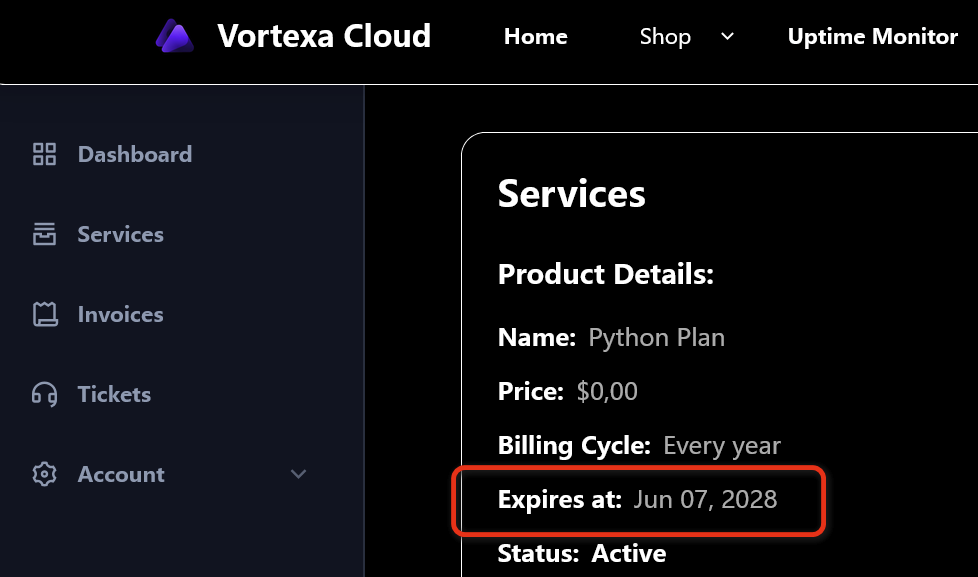
Second mistake: it wasn’t one year. As I used it, it extended the expiration to 2028.
All right, apologies over. Let’s get to the main topic.
Here’s the same message as at the beginning: it’s a game server, so don’t take it too seriously—just have fun. The one I got on June 7 is still working for now.
1. Registration
-
Registration address: [upvote]https://www.vortexa.cloud/[/upvote]
-
Email: It’s not a scarce resource, so you can register with a temporary email address. I use one too.
If you need to register a game server linked to Github or Discord, I don’t recommend using it unless someone provides detailed instructions. The game server may say you violated the rules, which could affect your Github or Discord account.
These two points are also why I recommend it: no account linking is required. -
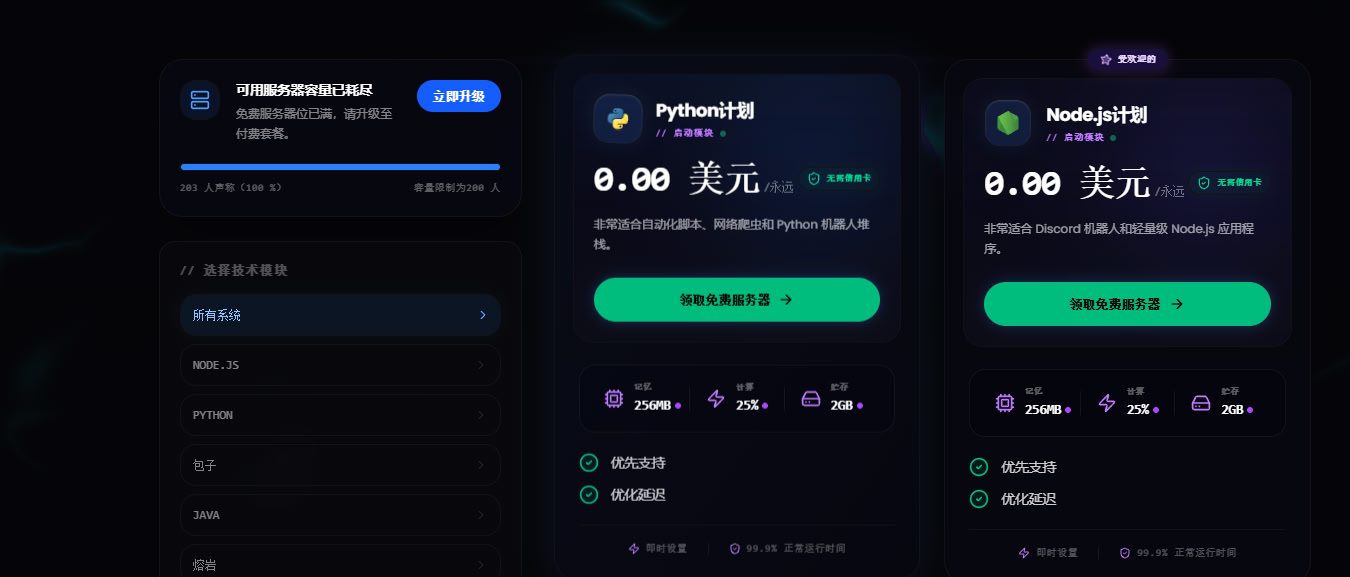
Claiming a free host
Open the dashboard:
[upvote]https://www.vortexa.cloud/dashboard[/upvote]
There’s a section at the very bottom. Follow the prompts to claim one.
As for Python, node.js, or something else, choose for yourself. I’m lazy and only tried the first two.
Besides the standard dashboard, there’s also an admin dashboard. Explore it yourself:
[upvote]https://admin.vortexa.cloud/dashboard[/upvote]

3. Scripts
Here’s Lao Wang’s script as usual:
nodejs
[upvote]nodejs-argo tunnel proxy
https://github.com/eooce/nodejs-argo[/upvote]
Python
[upvote]https://github.com/eooce/Sing-box/blob/test/python/app.py[/upvote]
I’ll use nodejs as an example; I won’t cover the others. Explore them yourself.
Download index.js and package.json locally.
Create a tunnel in Cloudflare with the port set to http://localhost:8001. The script also provides instructions.
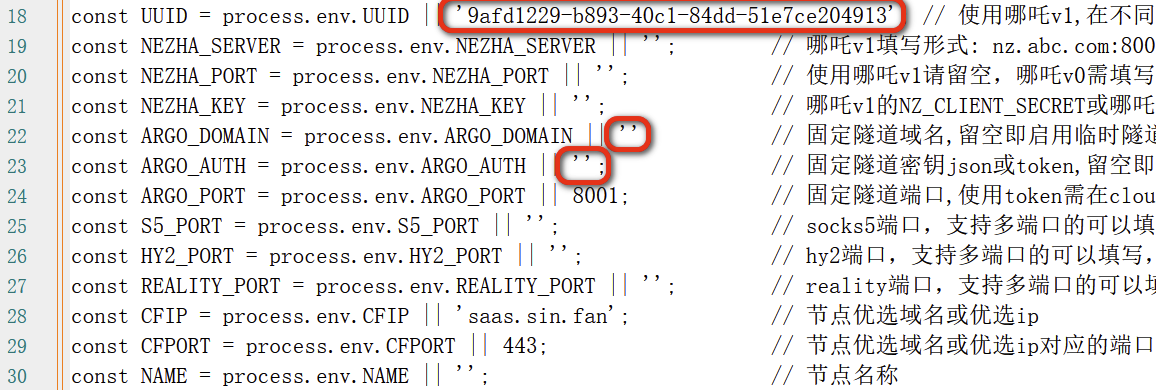
Edit index.js:
Modify the content inside the red box.
Be sure to enter it between the two ‘ ’ marks.
After modifying it, obfuscate the content:
[upvote]工具箱 - 全能助手
Be sure to clear the original obfuscator webpage before pasting, and use the default obfuscation settings.
Paste the obfuscated code back into index.js and save it.
4. Uploading
Enter the dashboard and open the panel.
[upvote] [/upvote]
Upload the two files.
[upvote][/upvote]
[upvote]Change the permissions for index.js to 777.
[/upvote]
Start the server.
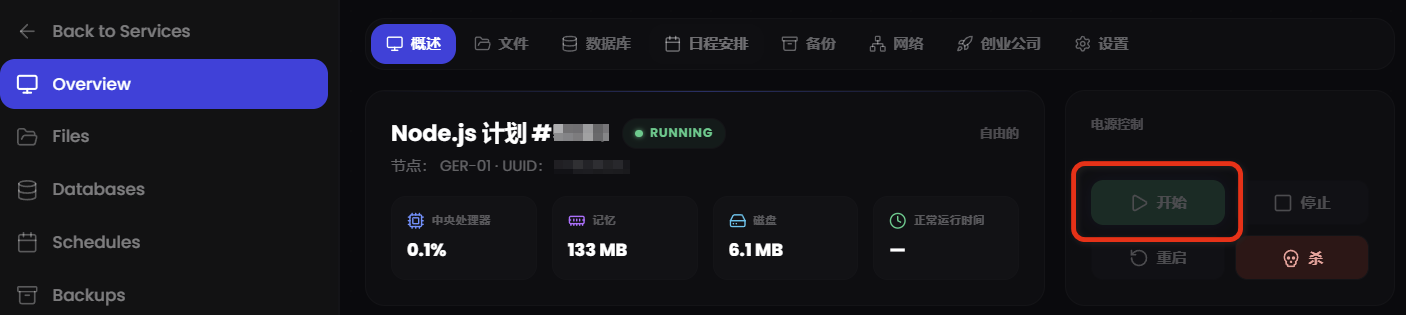
It takes a little while for a new machine to download the files. Once it’s nearly finished, Console will display the node information. You can copy it and import it into your client, or check sub.txt in the .tem directory using the file manager.
It normally works fine. If an error occurs, check again to see whether you missed a step.
5. Other information
The nodejs-Argo tunnel version is the simplest, but also the most practical. With Cloudflare’s support, the performance of other protocols is no match for it.
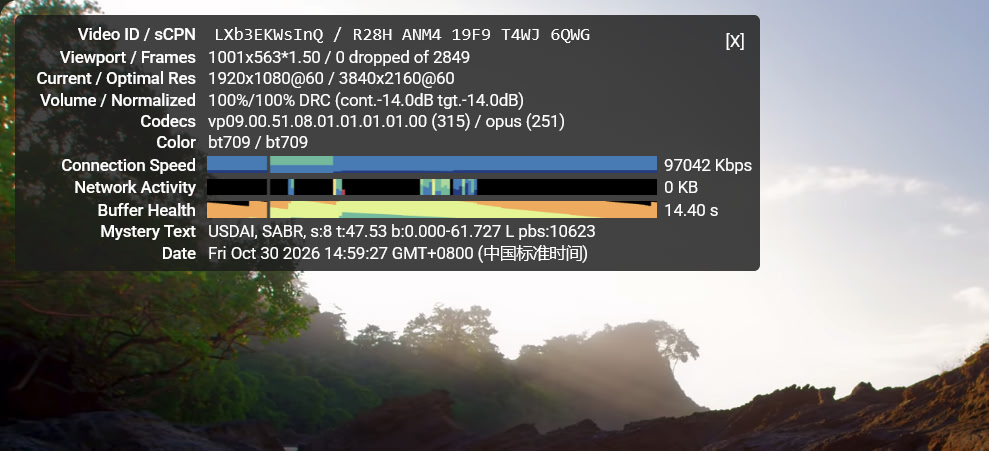
In my tests, the tunnel protocol reached over 21 MB/s, while the other protocols were between 7 and 9 MB/s.
Here’s a screenshot from my recent 4K test:
Renewal:
[upvote]There is no renewal button; opening the dashboard completes the renewal automatically.[/upvote]
Starting on the sixth day, you’ll see a notice:
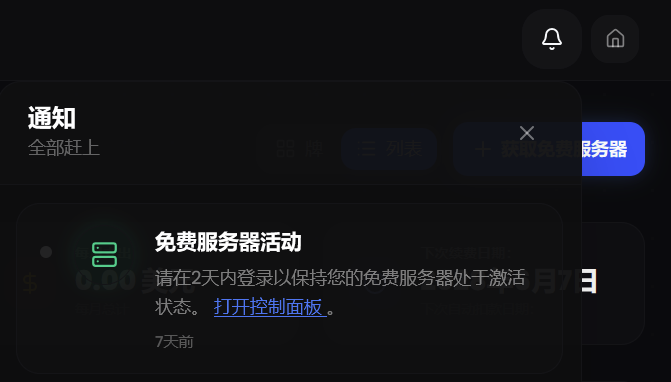
[upvote]I once let it expire and it was shut down. They emailed me, and I was able to start it again by logging in.[/upvote]
Common issues with the game server
It restarts when overloaded, which is why I recommend using a fixed tunnel.
It becomes unreachable for half a day once a month. The dashboard will show an error, but this doesn’t mean you’ve been banned—it’s a machine error. Leave it alone for a while; it usually takes about half a day.
When you can see your machine in the dashboard, it has generally recovered. Usually, simply starting it again is enough.
Sharing my experience as a beginner. It wasn’t easy editing all this, so please show your support with a like. Thank you!
Experts, please pretend you didn’t see this—no flaming or downvoting!
I’ve been using this game server for several months, and neither of my two machines has been banned. It’s worth trying.
[upvote]Client test included.
[/upvote]