CapCut is useful enough, but its limitations are clear: you need to log in, exporting requires a membership, and finished videos come with a watermark. For people who only occasionally edit a vlog, record their screen, or stitch together clips, these costs aren’t exactly cheap.
So recently I tried an alternative—Concat. Its positioning on the official website is straightforward: “The free, open-source CapCut replacement.” (A free, open-source replacement for CapCut.)
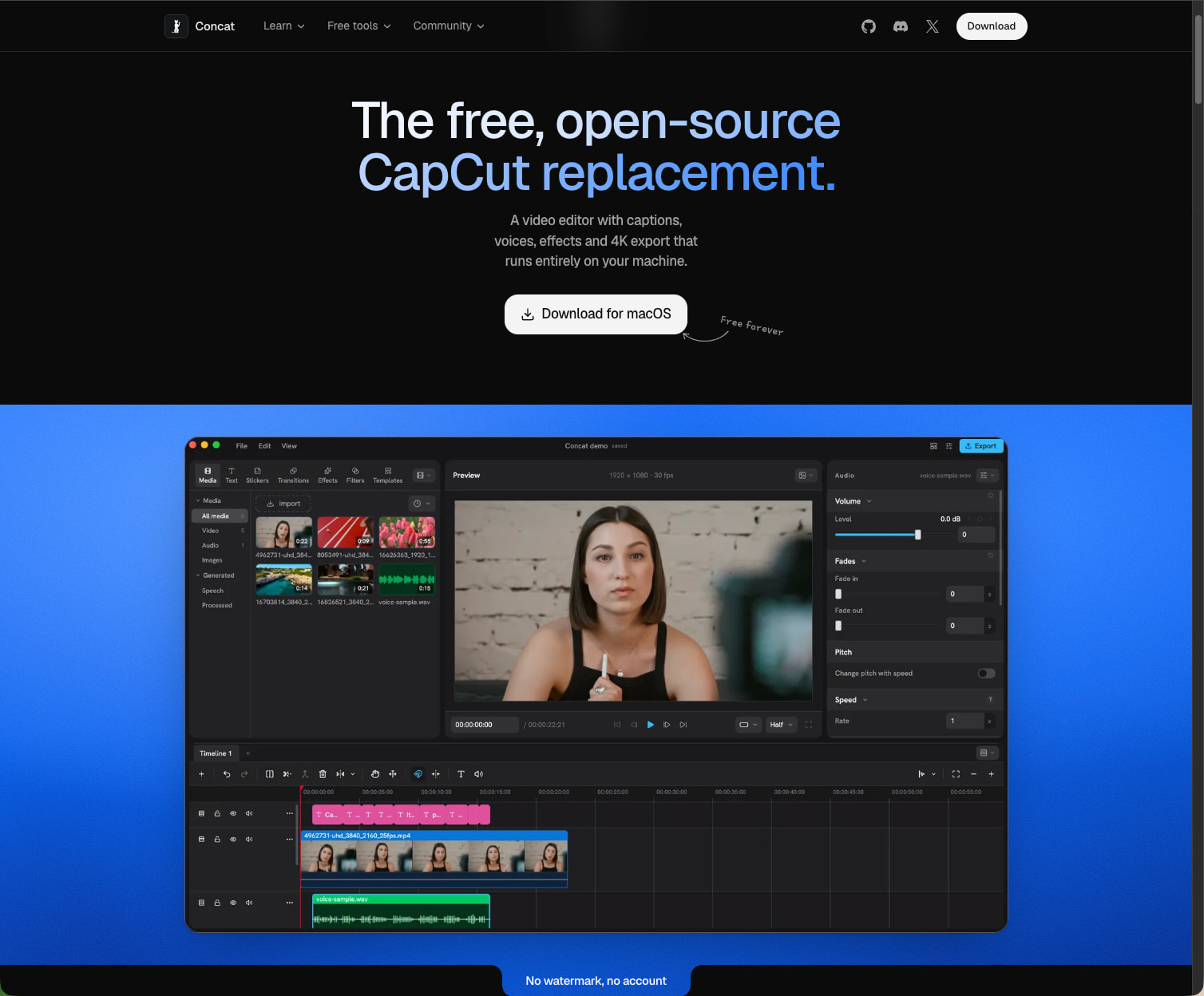
Concat doesn’t currently belong to the category of tools “feature-complete enough to replace CapCut outright.” Its plugin ecosystem, template library, and AI features are all still growing. But if your needs are editing, stitching clips together, adding subtitles, and exporting clean videos, and you can’t stand watermarks or account requirements, it’s already good enough.
Free, open-source, watermark-free, and no registration required—those features alone make it worth installing and trying at least once.
Official website: https://concat.standalones.org/
Original article: 剪映要会员,它全免费:这款开源 Mac 剪辑软件我留下来了 - Evan's Space
