Sharing a tool I built: grill-engineering. Used together with Matt’s Grill-me skill, it lets Codex automatically develop, validate, and fix tasks, and now also supports Feishu progress notifications.
Project: GRD-Chang/grill-engineering
I now do most of my development by using grill-me to discuss the requirements for my tools, then breaking them down into GitHub tickets with to-spec and to-tickets. But during actual development, there were still two things I had to keep handling manually:
- Even after breaking down the tasks, I still had to drive development ticket by ticket, follow up on fixes, and then handle the PRs.
- The quality of the Agent’s development wasn’t good enough. Even when the Agent had performed its own code review, there were often still many bugs.
So I built this tool.
It automatically develops each ticket in the dependency order defined on GitHub. After each task is completed, it separately invokes a Codex Agent for validation, which runs the functionality and checks it against the requirements. If any issues are found, they are sent back to the development Agent; after fixing them, the task is validated again. Creating PRs, fixing CI checks, and closing completed tickets are also part of the workflow.
After all tickets are completed, it performs an overall check to ensure the functionality works as a whole. Completing each ticket individually doesn’t mean everything will work properly once put together.
While it’s running, you can use status in the command line to view the current task and history to review the development and validation records.
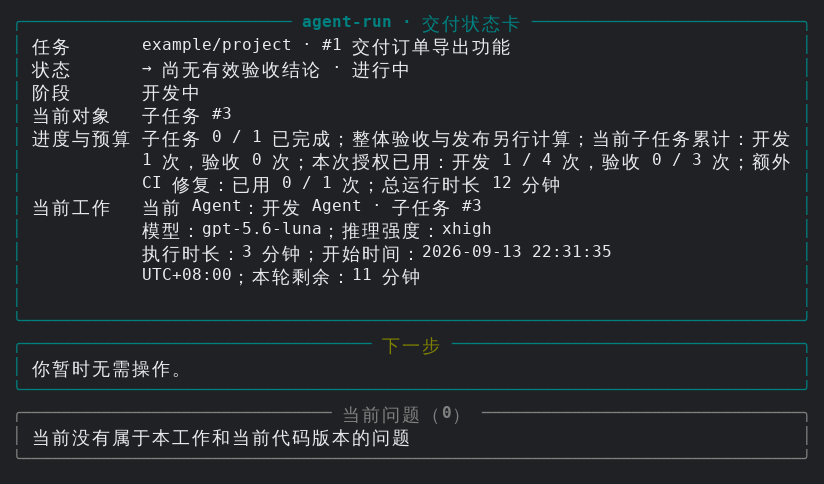
Feishu notifications have also recently been added.
Previously, if I wanted to know how far development had progressed, I had to keep switching back to the window where it was running. When busy with other things, I might also miss that a task had stopped and was waiting for someone to intervene.
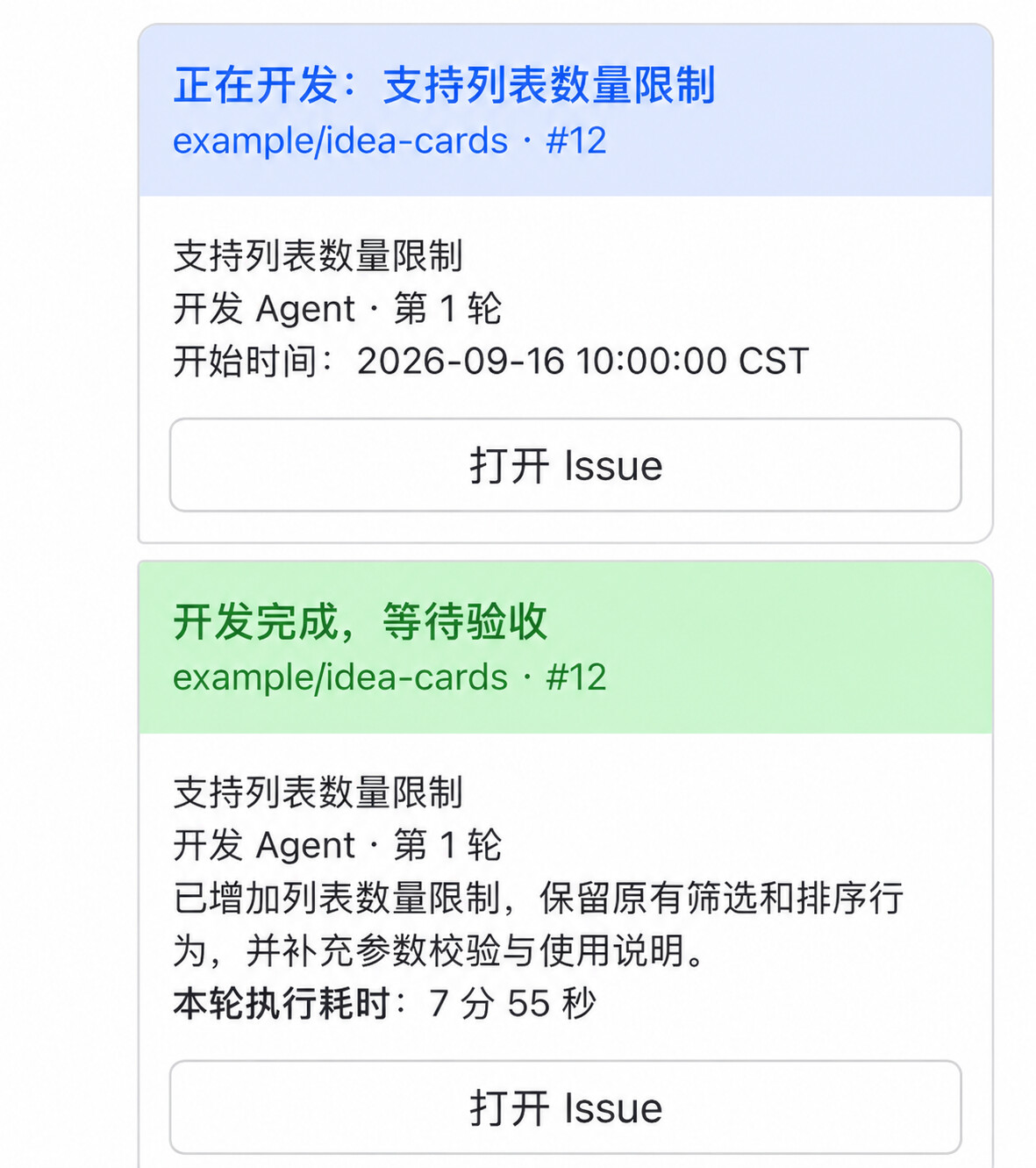
Now you can track progress through Feishu: which tasks have been completed, how the checks turned out, and whether manual intervention is needed. The cards also include links to the relevant Issue or PR for easy access.
There are two notification modes:
- Compact mode: See only important progress updates, items requiring attention, and final results.
- Detailed mode: Also see the development, validation, and automatic-fix process for each round.
Feel free to give it a try, and leave a star!

