A note upfront: this post has no affiliate links whatsoever; it is purely for technical research and learning. You can rest assured. If you are impatient or the process does not work after you complete it, please double-check everything a few times or leave me a message. You need to have a spirit of research, trial and error, and learning—you shouldn’t start swearing at the slightest problem. Please be civilized and polite. It may not work because of factors such as your device or network environment, and you can’t blame me for that either, because this wasn’t easy for me either.
———————————Separator; the main text begins below—————————————————
1G high-speed data + permanent 128 kbps (no phone number, data only; receiving messages should work)
A native eSIM is required!!! 【Technically, this can be bypassed】
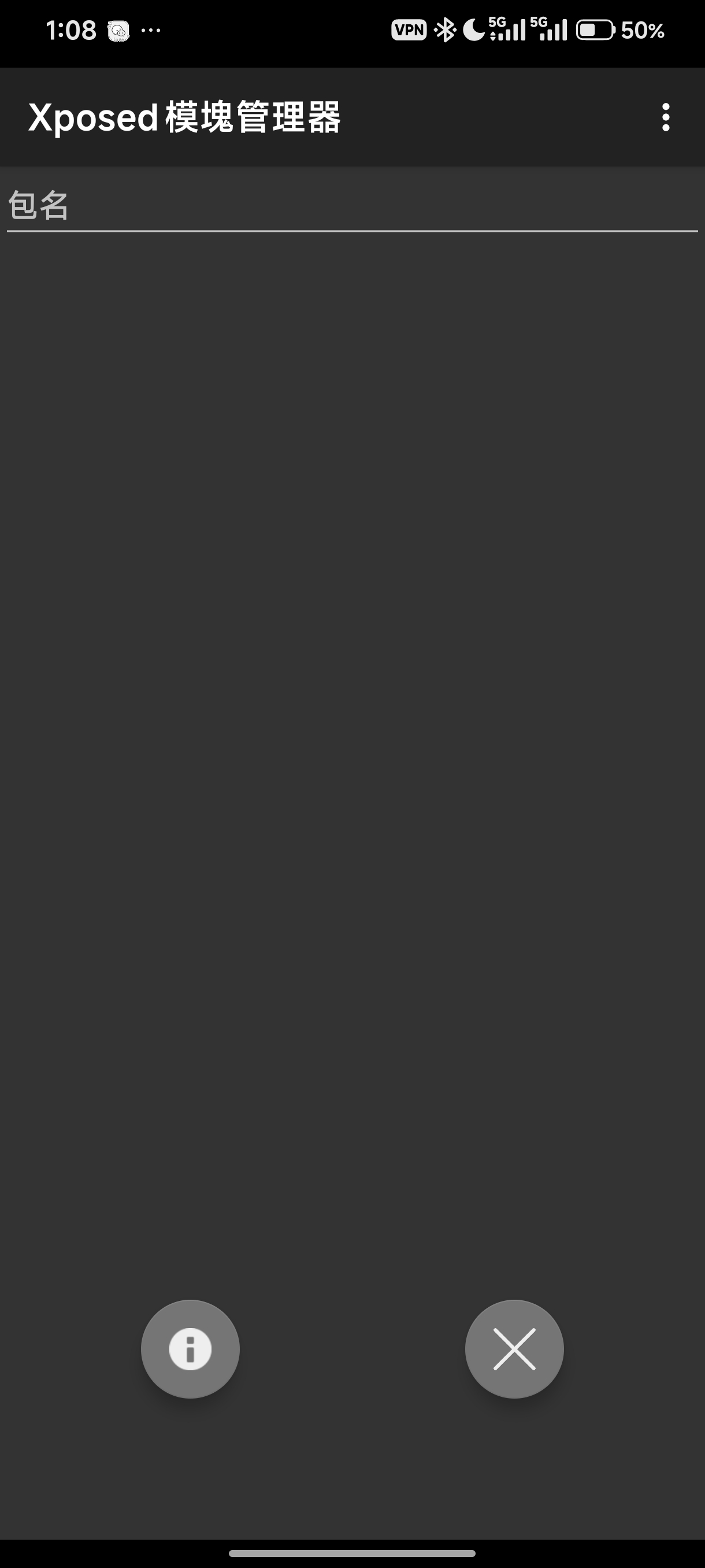
- First, install the HookEuicc module
By mounting it, this module can bypass detection by the USIMS app and spoof eSIM support on your phone.
Screenshot: There is no screenshot for this step.
After installing this app, remember to grant it the necessary permissions in Settings, then you can leave it alone.
Download: Releases · Xposed-Modules-Repo/cn.unicorn369.HookEuicc · GitHub
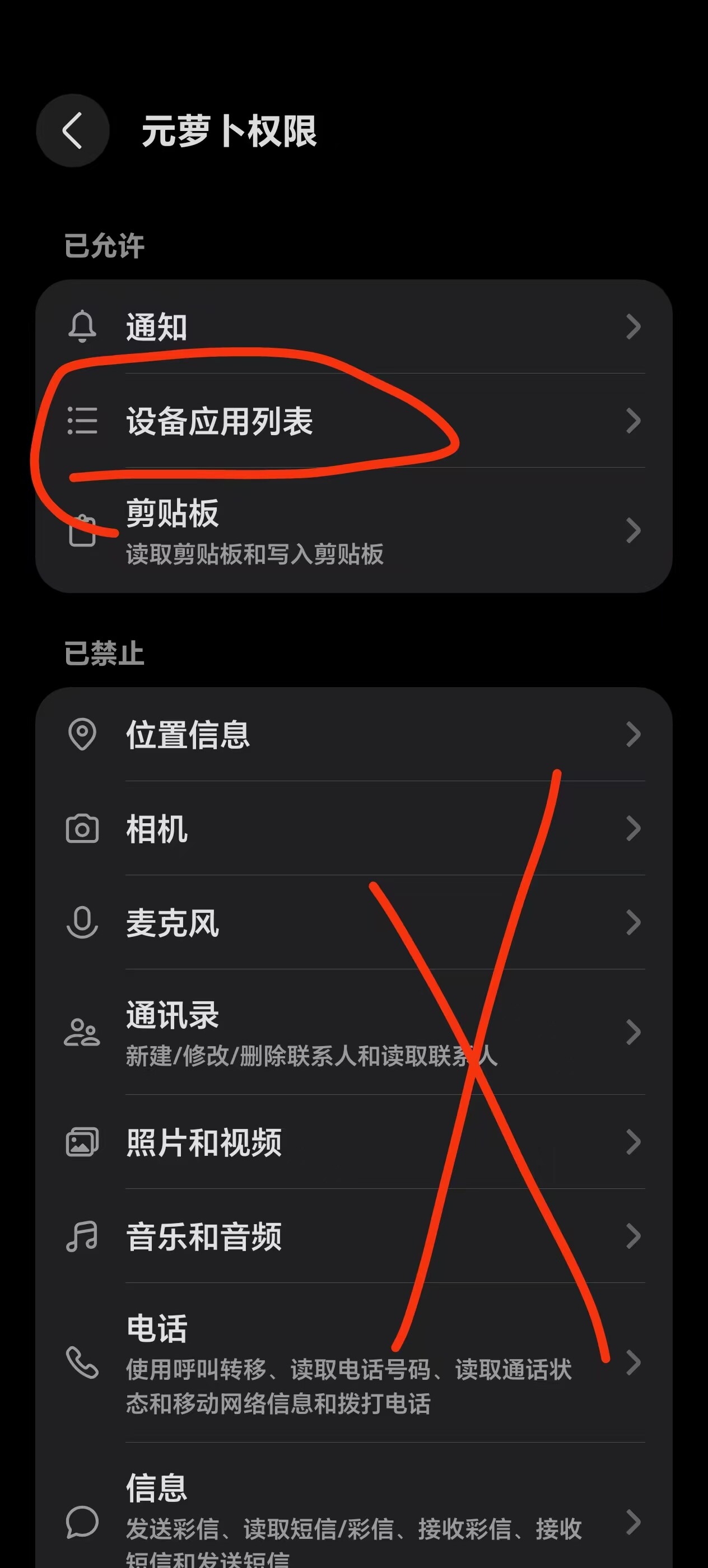
- Download and install the 【Yuanluobo】 app. Do not open it yet. Go to your phone’s Settings — Apps — Yuanluobo — and enable the relevant permission (allow access to phone apps).
Download: Releases · Katana-Official/SPatch-Update · GitHub
Screenshot for step 2:
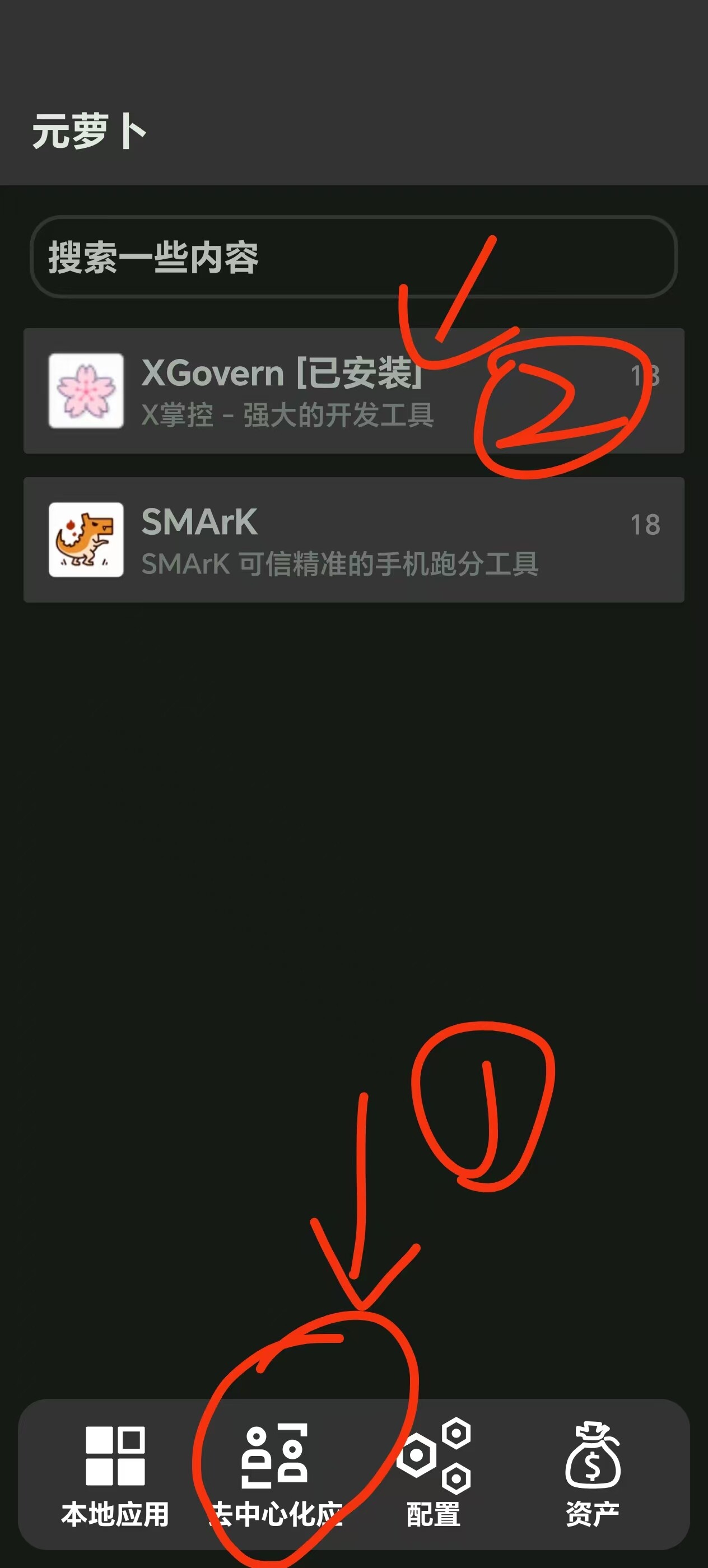
- Install the X掌控 module within the app, then mount HookEuicc in the X掌控 module. If you don’t know how, see the screenshots.
Screenshots:
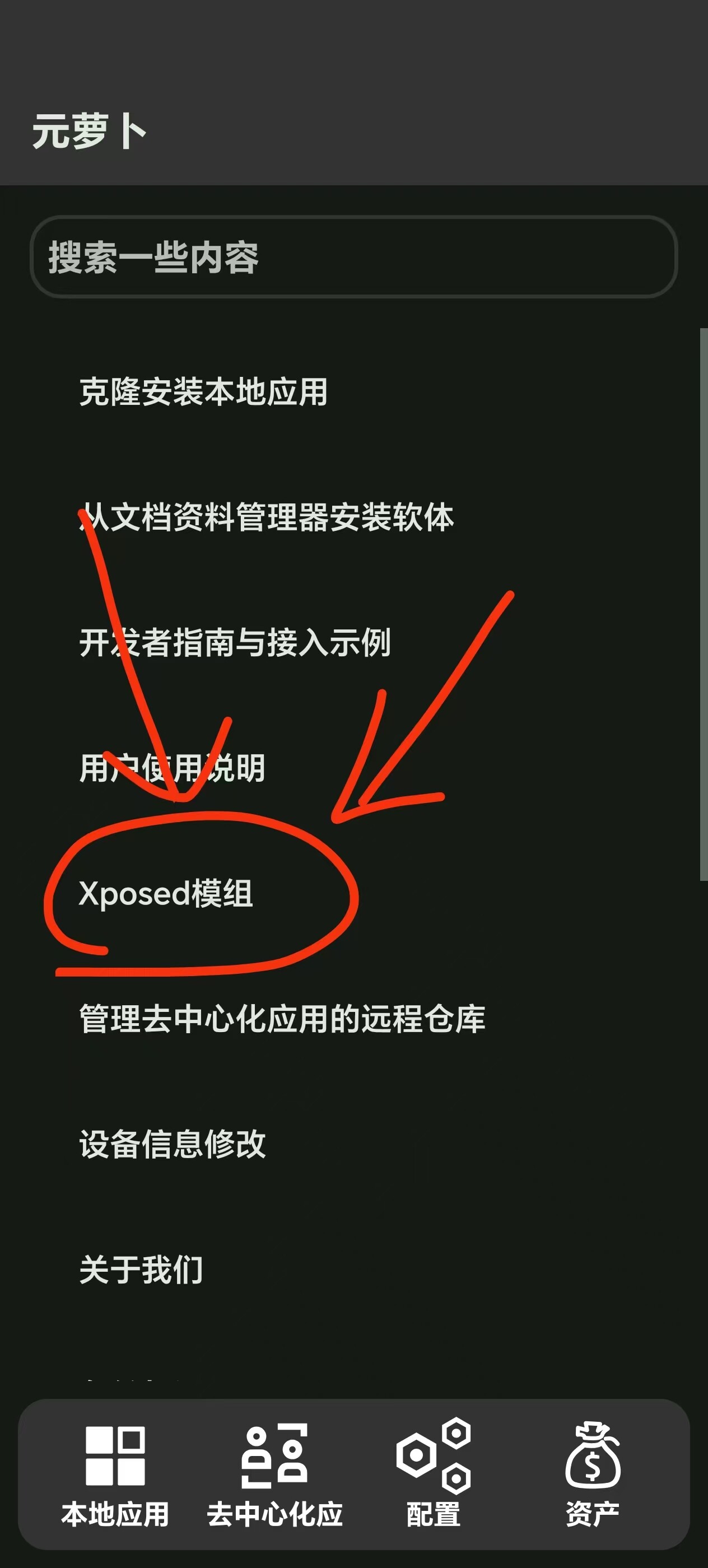
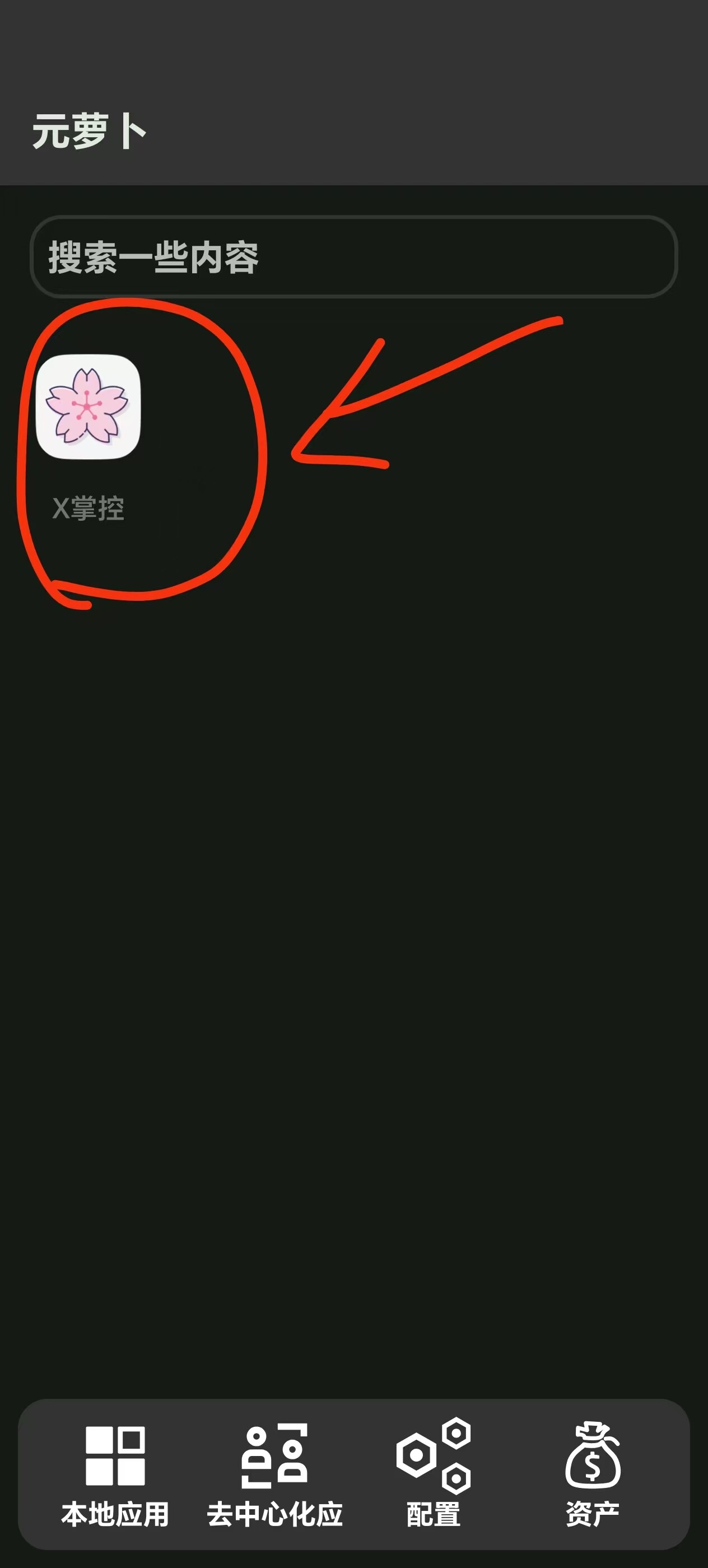
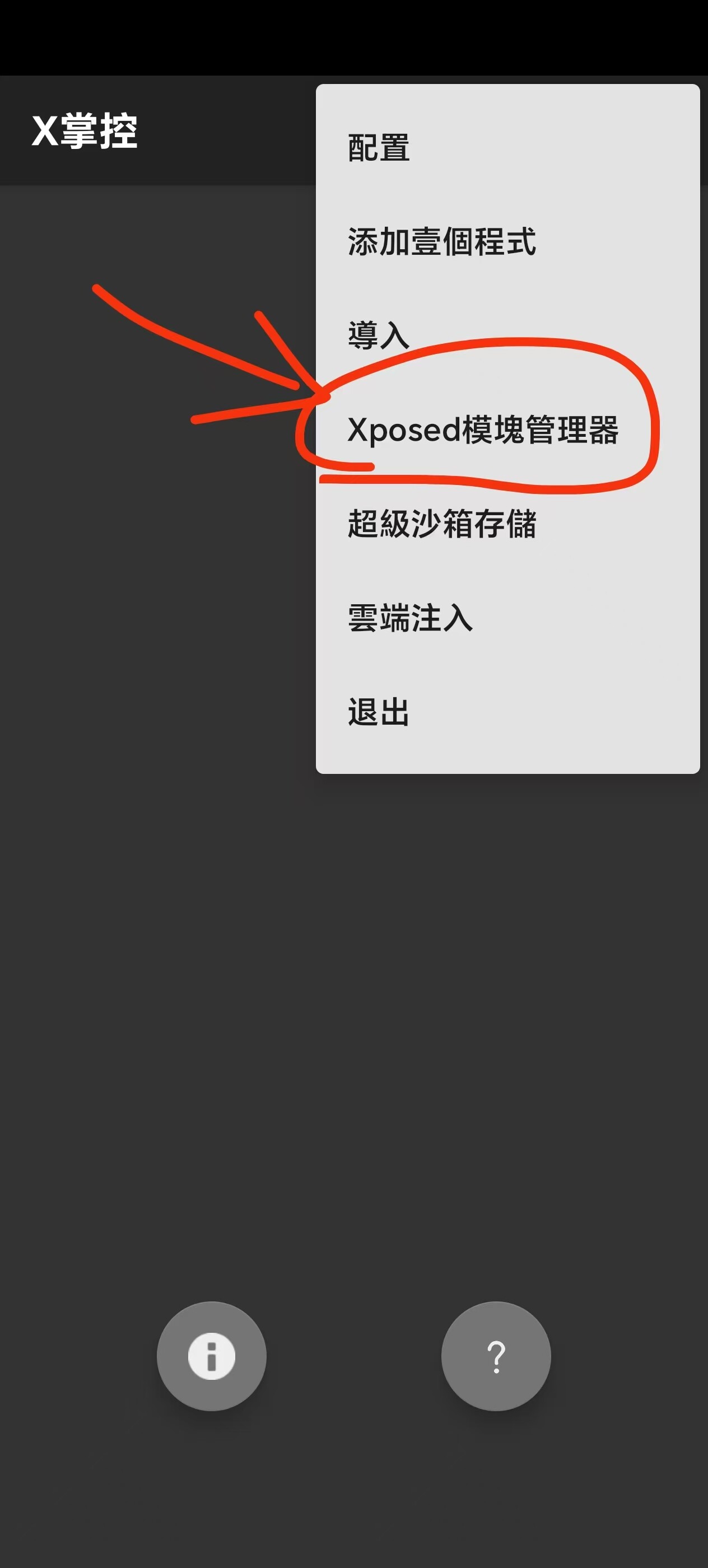
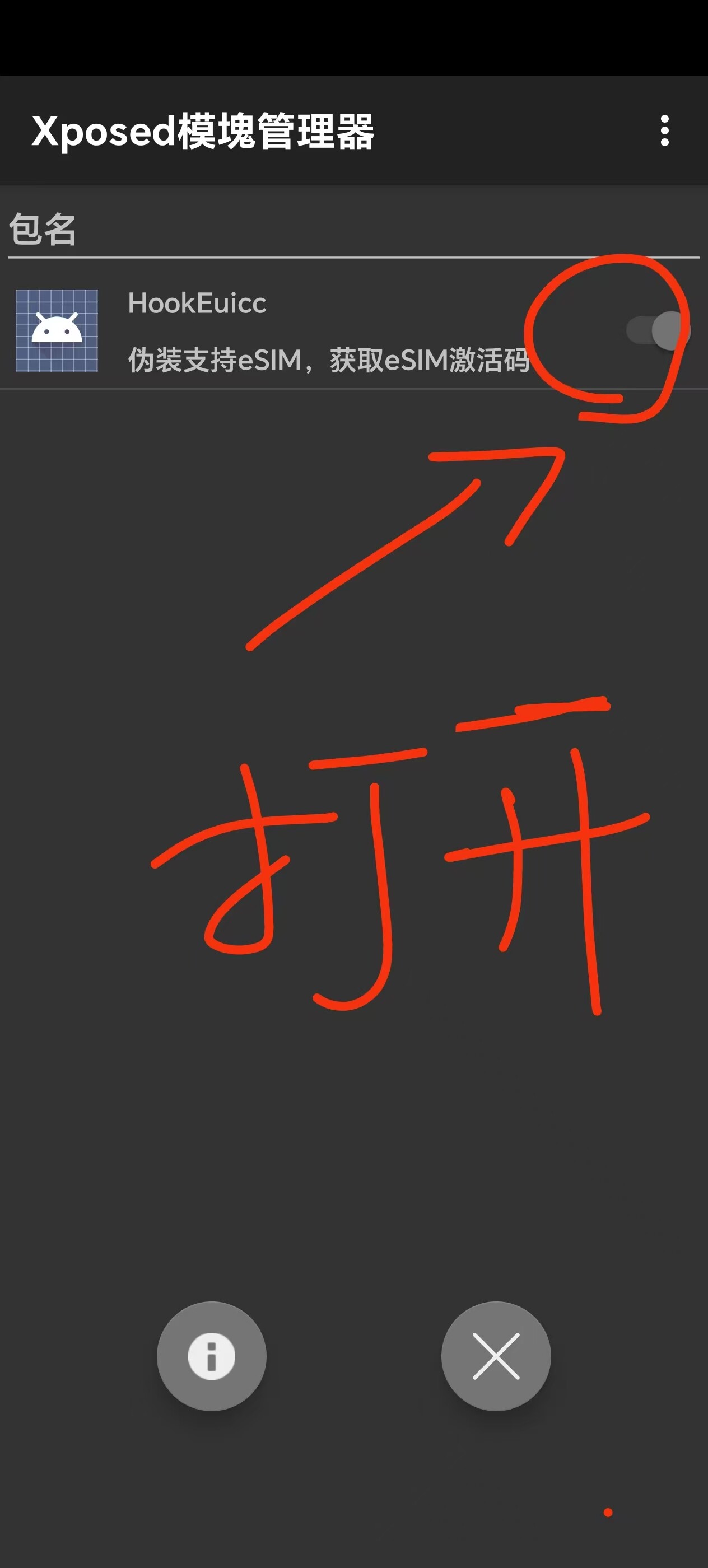
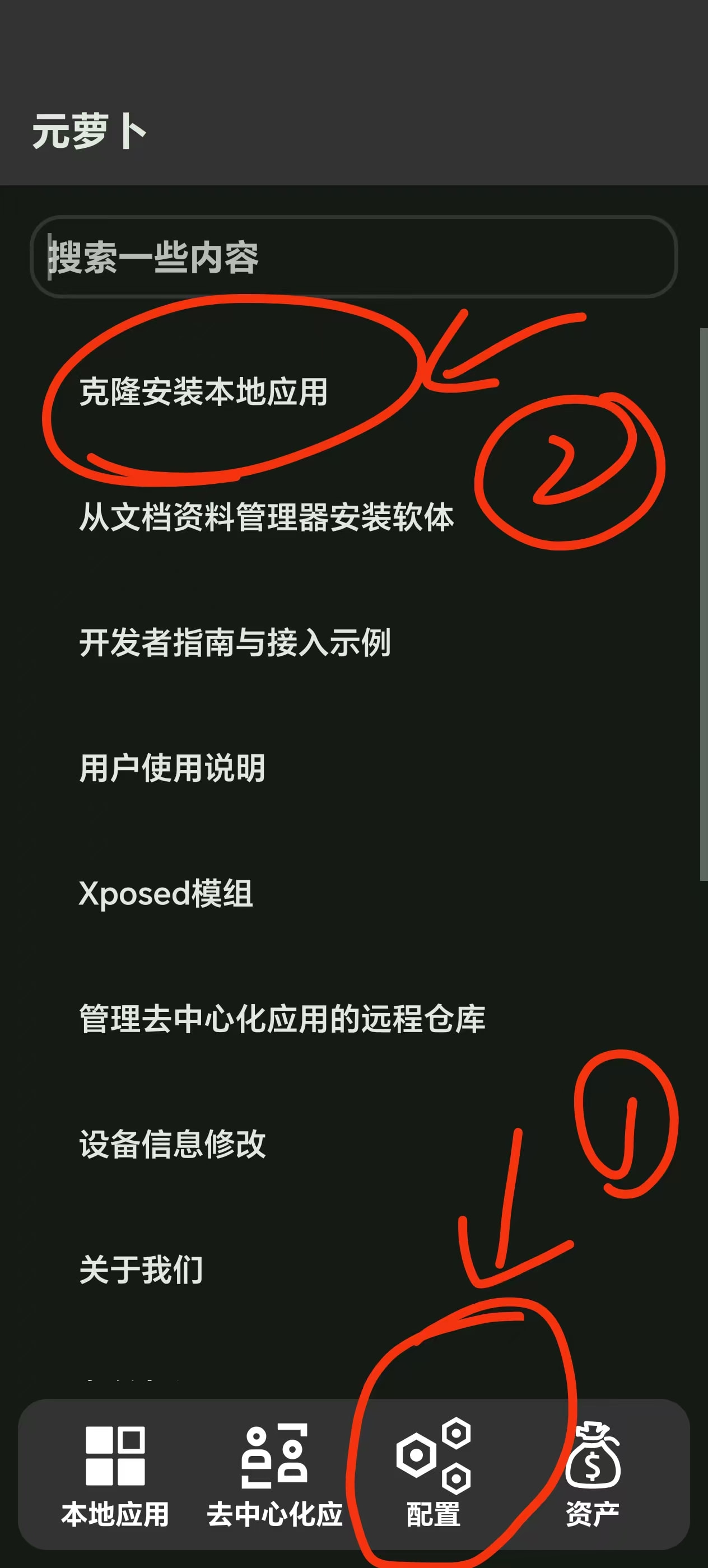
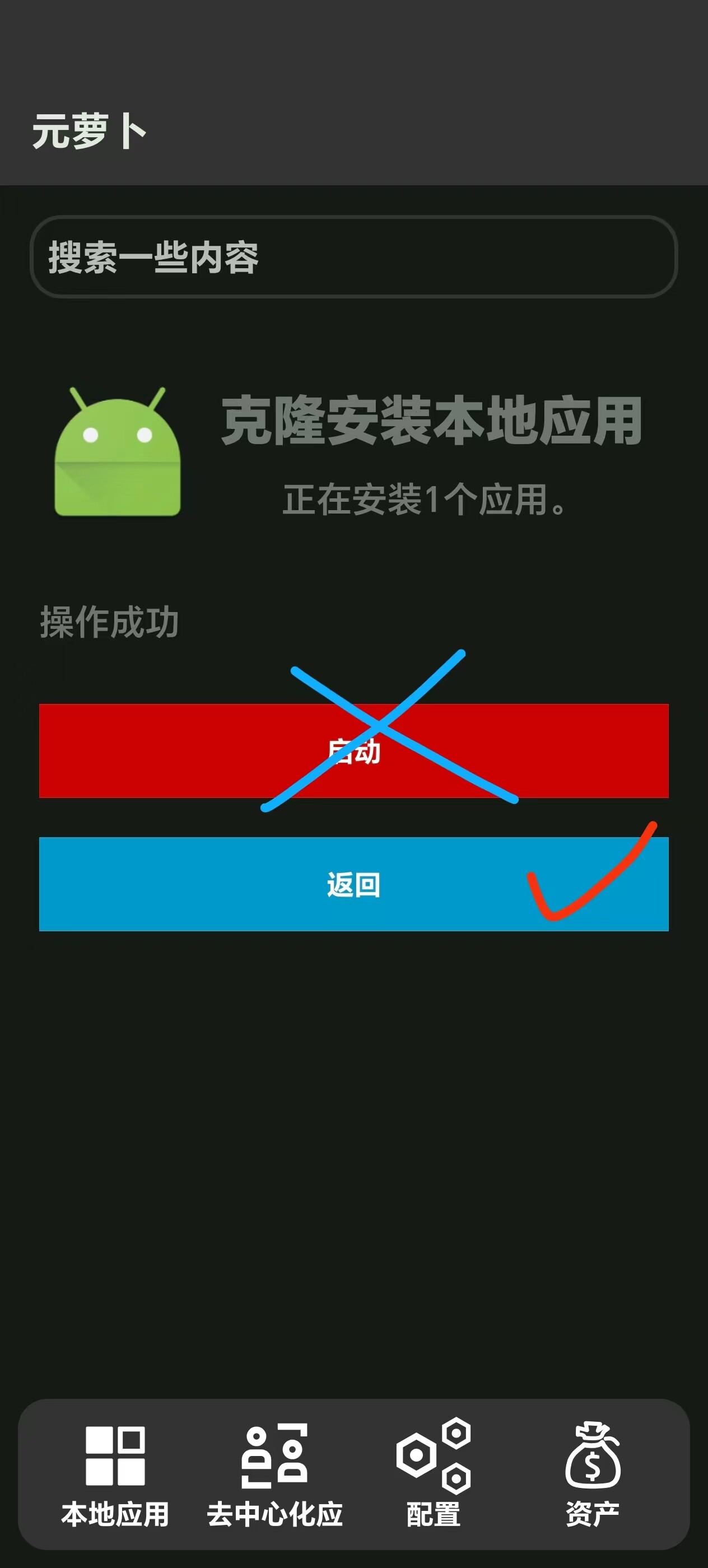
- After completing the above steps in order, return directly to the Yuanluobo home page, tap 【Clone and install local app】, then select Clone one in sequence and tap Next, Next. Once cloning is complete, do not tap Launch app yet under any circumstances; just tap Back.
Screenshot:
Additional note: The USIMS app is extremely laggy. Just so you know, if you are impatient or lack the motivation to learn, you can stop here and browse other posts on this site. Since environments and devices differ, I cannot guarantee that it will work for you. Thanks for your cooperation.
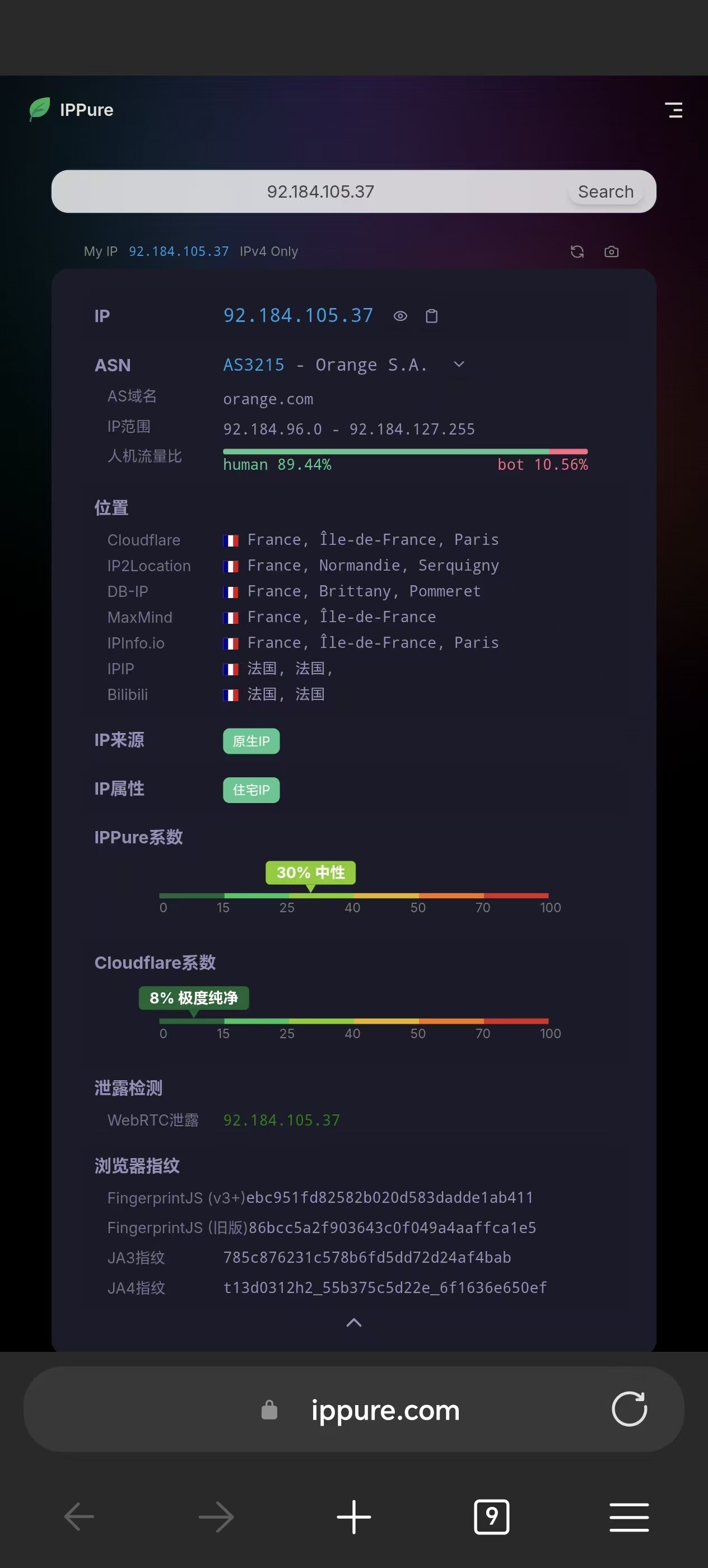
- At this point, you need to find a way to use a VPN. It is best to choose a Singaporean or French node 【this term is inconvenient to say explicitly; those who know, know】 and enable global routing… I won’t spell it out—figure it out yourself.
Then go to the Yuanluobo home page, tap the cloned app, and open it. You will see a loading spinner that keeps turning; just go back once. (I use a full-screen phone, so I swipe in from the side to go back.) Going back once will not exit the app; it will stop the spinner. Don’t keep waiting…
Screenshot:
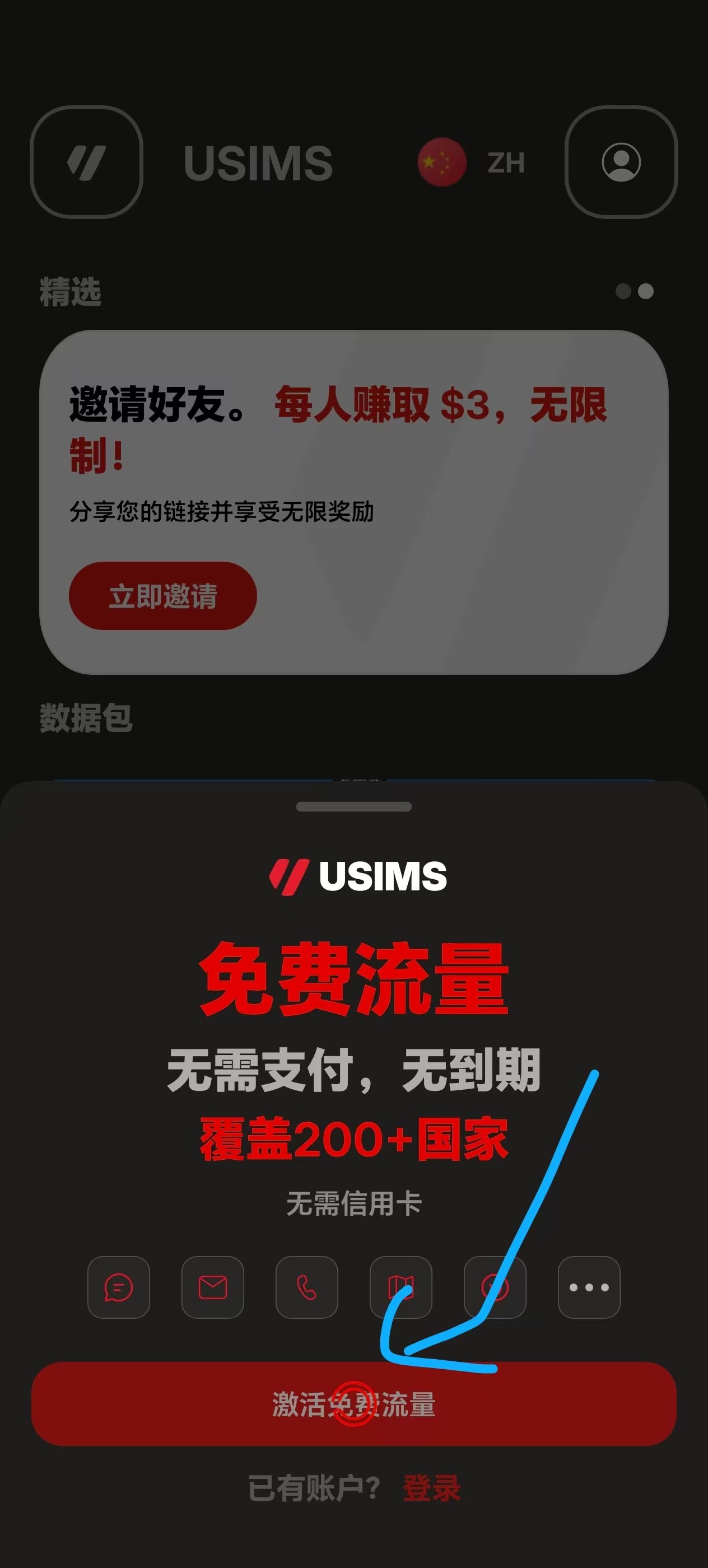
Once you go back, it will stop spinning continuously. Now tap Activate free data; it will ask you to enter your phone number. This platform has a rule (based on feedback from other Telegram group members): when receiving verification codes, the first and second codes are sent to you directly by SMS. The third code will not be sent by SMS; it will be sent directly to your WhatsApp.
However, when I tried it myself, the first verification code was sent directly to my WhatsApp, so just to be safe, you should have a WhatsApp account.
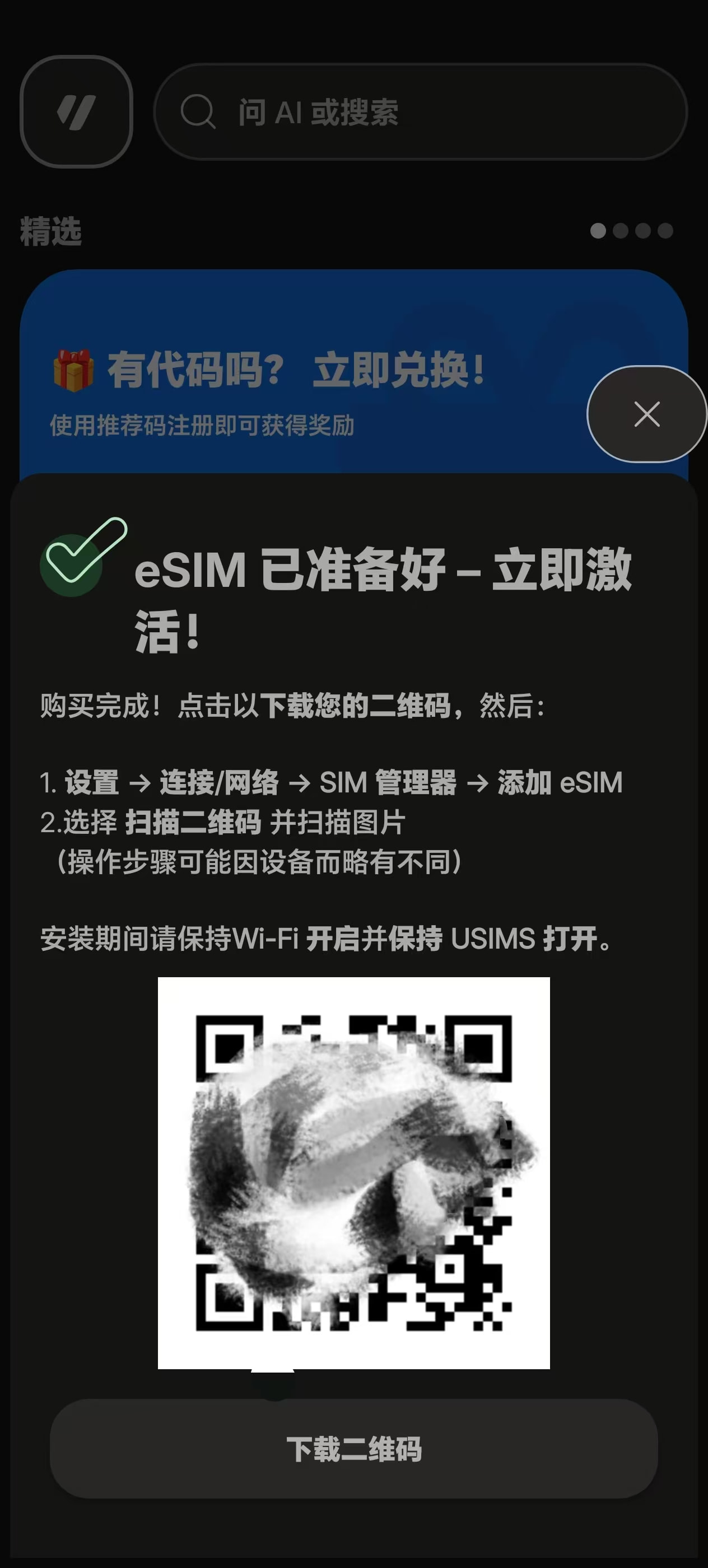
- Once you officially enter the app, the home page may take a moment to load, so wait a little. An installation prompt will appear. Your phone definitely will not be able to install it at this point (unless it is a native eSIM phone; I am using a Xiaobai card here). A QR code will also appear. Take a screenshot of the QR code—well, those of you who deal with SIM cards should probably understand this. Once you have the code, simply scan it to install.
Illustrations:
- eSIM installation screen:
- IP detection screen: