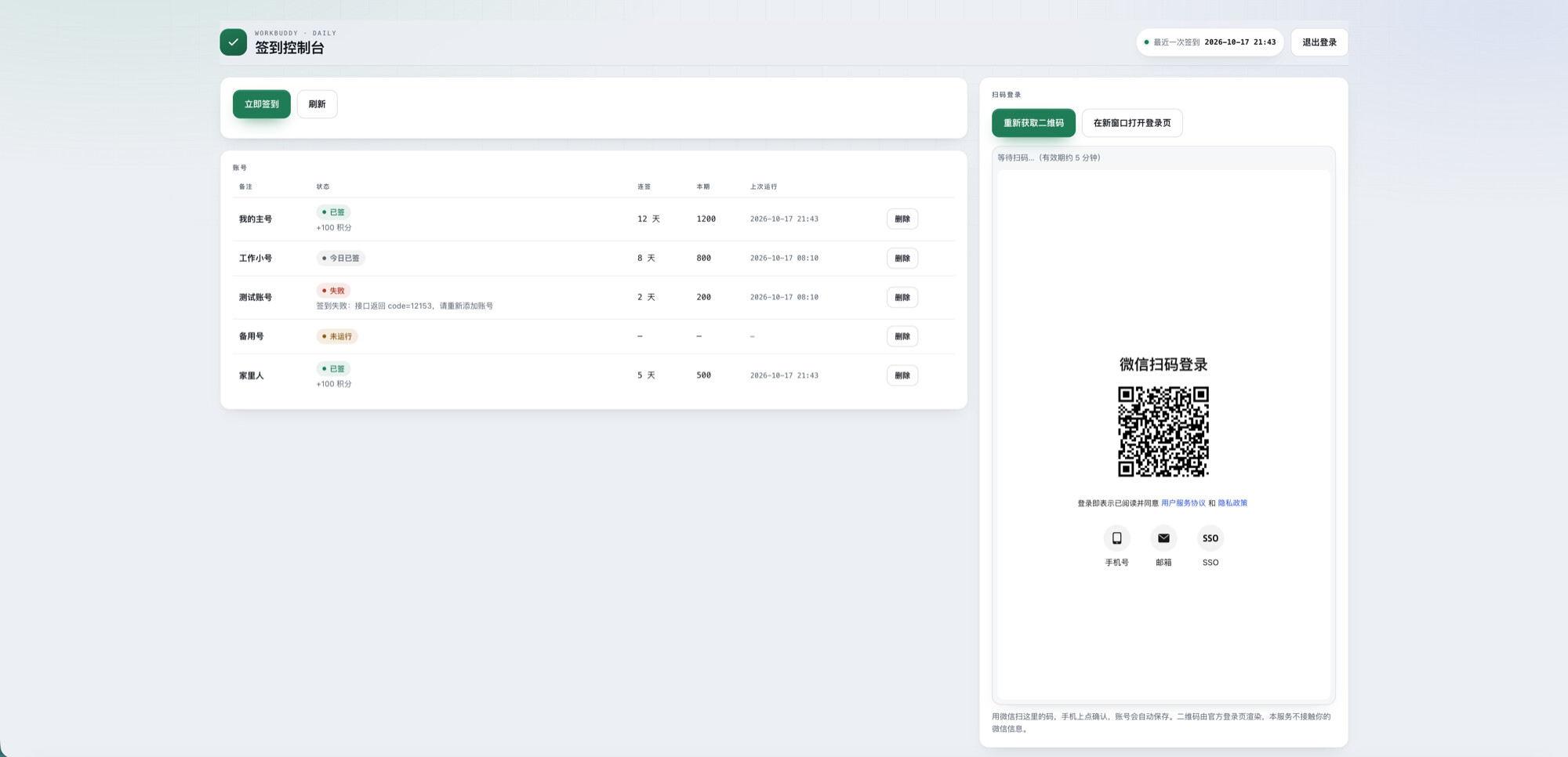
Scan a QR code once with WeChat to hand your account over to a Cloudflare Worker; it will then renew tokens, check in on schedule, and record the results automatically—no computer, client installation, or server required.
- All logic is in
worker.js; paste the entire file into the web console and run it - Runs on the free tier of Cloudflare Workers + KV; two check-ins a day barely use any quota
- The official login page is embedded in the interface. Scan with WeChat and confirm on your phone; the account is saved automatically, with no need to manually extract tokens
- Built-in
refresh_tokenexchange for new tokens, so the token chain never breaks - AES-256-GCM encryption; KV stores ciphertext only. Each account has its own salt + IV, and no API returns tokens
Deployment
- Create a new Worker, paste in the entire
worker.jsfile → Deploy - Bind one KV (
WB_KV) + two Secrets (WB_MASTER_KEY,ADMIN_TOKEN) - Add a Cron:
10 0 * * *
Open the URL, enter the password to access the console, click “Get Login QR Code,” scan it, and you’re done.
Notes: The API was reverse-engineered from the desktop client, so client upgrades may require compatibility updates. It’s recommended that you use this only with your own account—don’t use it to farm points with multiple accounts. Use at your own risk.
Project: [upvote]https://github.com/ggzhzc/workbuddy-trae-checkin[/upvote]