I wanted to delete my chat history because there were so many chats, so I went to Settings > Data Controls > Reset Muse. Then I force-quit the app, and a message popped up saying that Muse was no longer available in my region  . After switching to a different IP and logging in again, it said I needed to link a bank card or Facebook account. So everyone, don’t tap this unless you really need to . Finally, how do you all delete your chat history?
2 Likes
Can be archived
What a move—you managed to get the account banned.
It seems you can still view the chat history by clicking on the archive section after archiving.
That’s why I said, whatever you do, don’t click the Reset Muse button
I just tested again when it can be accessed: it requires a public IP, and it must be a clean IP that Muse allows for registration. You also need to have a Facebook account or card number linked at the same time so it can be reset—none of these requirements can be missing. Also, don’t think about bypassing Muse’s restrictions, because the rules are enforced externally, and neither Muse nor you can change them. His computer has around 150 GB of memory. You can send him some files, and he can package them into a link for you, but the link is valid for only 48 hours. Once it expires, you’ll need to generate a new one. It’s basically good enough as a temporary cloud drive.
Do we really have to delete it? It won’t make any difference whether you delete it or not.
I always use tasks—one task for each new issue. Delete tasks when necessary.
Just delete the task conversation.
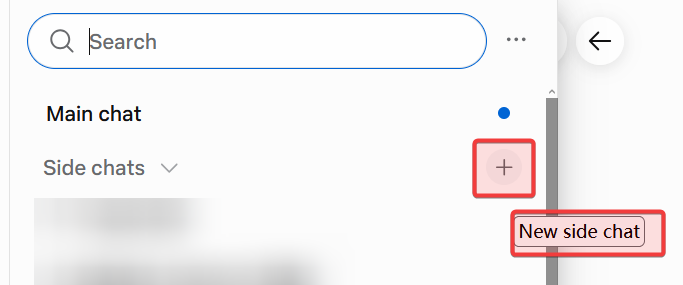
There’s no need to delete it—just assign the task and start a side chat directly.
I bought this Muse account but I’m too lazy to change the linked account, and there’s no quota on it anyway I’m worried the original owner might secretly log in and snoop on me
Seems useful.
Getting ready to register a
From now on, don’t click Reset—just archive it. You can still retrieve it and view it when needed.
I tried resetting it once, and there haven’t been any issues so far. Maybe that’s because I haven’t used it since the reset. Mainly, I just don’t know what it’s for.
How to Use Tasks
I mean, you can start a new chat in the chat section, and that new chat can be deleted. The main chat can’t.
I didn’t even bother with it—just throw it away after using it.